Here’s a new demo that is an implementation of a 2D FDTD simulation of the Maxwell equations to simulate light. It can generate caustics and wavelength dependent effects easily by simulating the light as waves instead of rays. Unfortunately, this approach is not really suitable for any rendering applications due to the small scale of light waves, but it still serves as an educational tool.
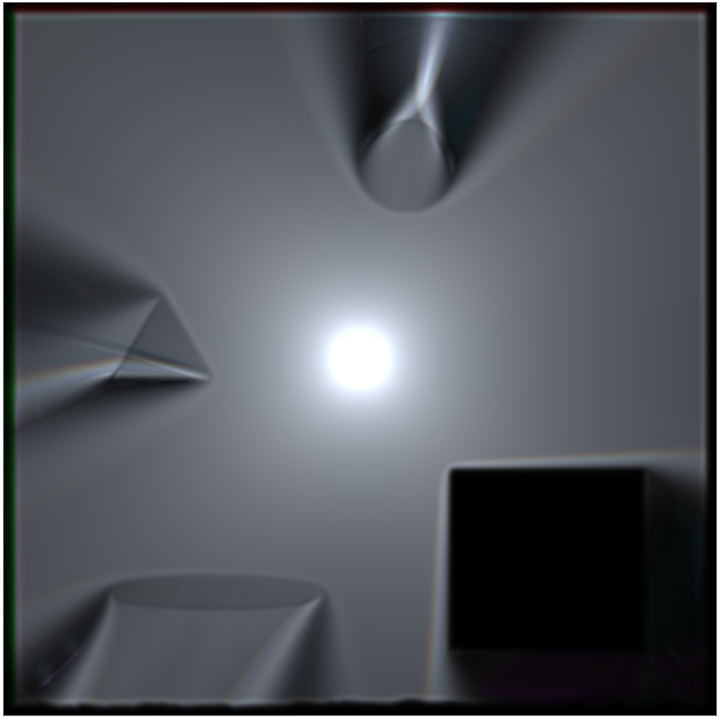
The demo simulates a single light impulse for three wavelengths representing red, green and blue. Parameters like permitivity and conductivity can be set with textures. The simulation is physically not fully accurate, some hacks were used to get desired result.
The demo uses a Yee-style grid and computes the electric and magnetic field in WebGPU compute shaders. First, one compute shader calculates the magnetic field from the electric field of the previous simulation step, then another compute shader calculates the electric field from the magnetic field that was just updated. A light source is created by exciting the electric field with a sine-wave impulse.
To render the results, the maximum of the squared electric field value is calculated for each wavelength and then stored in a texture which is displayed directly with just some gamma correction.
With a left mouse click you can position the light source and there are also UI elements to change the scene, set the visualisation mode and the simulation speed.
I actually had this as an OpenGL demo many years ago that I didn’t release. For that I used a fluid-wave simulation and that also worked, even in 3D with voxelized geometry. Now I recreated the demo using WebGPU. I really like how easy it is to set up and that it is kind of cross-platform. Usually, I work with Vulkan these days which requires tons of code just to render a triangle. Now take a look at the source code and ask yourself how many lines of code it would have been in Vulkan.
Although I’m using AI assisted coding tools at work every day, most of the code was written by me which also helped me to learn. Though the AI helped a lot with code for the setup, the UI and with debugging.